
WordPress vs Astro: Best Website for Small Businesses
After 7+ years building websites in Edmonton, here's why I now build fast static sites with Astro, and when WordPress is still the right call.


I’ve spent 7+ years building websites in Edmonton, and for a lot of that time, WordPress was my default. It’s flexible, almost everyone has heard of it and there’s a plugin for nearly everything. But the more WordPress sites I built and looked after, the more I ran into the same problems: slow pages, plugins that needed constant updates and sites weighed down by features nobody used. So I started building with Astro instead. It’s lightweight, it’s fast and it doesn’t come with the bloat. In this post I’ll explain the difference, where WordPress falls short, why I build with Astro and when WordPress is still the right call.
What’s the Difference Between WordPress and a Static Site?
WordPress is a content management system (CMS). A traditional WordPress site builds each page on the fly. When someone visits, the server runs PHP code, pulls content from a database, runs any plugins and then assembles the page before sending it to the visitor. That happens on every visit, unless caching is set up to store copies.
A static site works the other way around. The pages are built ahead of time as plain HTML files. When someone visits, the server just hands over the finished page. There’s no database lookup and no code running on the server for each visit. That’s a big reason static sites tend to be fast and hard to break into.
Static doesn’t mean you can’t change anything. That’s the most common misunderstanding I hear. A modern static site can still have a CMS where you log in and edit your content. When you save, the site rebuilds the affected pages in the background. You get the editing experience you’re used to, without a live database behind every page.
Astro is the tool I use to build static sites. It’s a modern framework designed for content-focused websites like business sites, portfolios and blogs.
One quick note: website builders like Wix and Squarespace are a different category again. They’re all-in-one hosted platforms where you rent the software and the hosting together. This post is about WordPress and Astro, which are tools a developer uses to build a site you own.
Where Traditional WordPress Falls Short
WordPress powers a huge share of the web. According to W3Techs, it’s used by 39.6% of all websites as of October 2026. It’s popular for good reasons. But for a typical small business website, traditional WordPress has some real drawbacks.
Security and Plugins
Because WordPress is so popular, it’s a common target for hackers. Most attacks don’t go after WordPress itself. They go after outdated plugins and themes, weak passwords and admin logins without two-factor authentication. Every plugin you add is more code from another developer that has to be kept secure.
Ongoing Maintenance
A WordPress site needs regular updates to WordPress itself, the theme and every plugin. Skip them and you open the door to security holes. Run them and you risk something breaking. Either way, someone has to keep an eye on it, every month, for as long as the site is live.
Page Speed
A traditional WordPress site does a lot of work to build each page, and many themes and page builders load far more code than the page needs. You can make WordPress fast with good hosting, caching, image optimization and careful plugin choices. But it takes ongoing effort, and the speed you gain can slip as plugins get added over time.
Plugin Conflicts
Plugins are built by different developers who don’t test against each other. An update to one plugin can break another, or break your layout, often with no warning. I’ve lost count of the times a routine update turned into an afternoon of troubleshooting.
Mint Mantis is a good example. When I started working with them, their WordPress site was very slow and bloated. It was built with a page builder that loaded far more code than the site needed, and it was holding the business back instead of supporting it. I migrated the whole site to Astro and built custom components from scratch, with no page builder and no plugins. More on the results below.
Why I Build With Astro
When I build a new small business website now, Astro is my first choice. Most small business sites have the same job: explain what you do, show your work, answer questions and get people to call or fill out a form. They don’t need a database, dozens of plugins or a server doing work on every visit. Astro fits that job well. Here’s why.
Speed
Astro ships no JavaScript to the browser by default. Pages arrive as plain HTML and CSS, which browsers can show almost right away. When a part of the page does need to be interactive, like a menu, a slider or a booking widget, Astro loads JavaScript just for that piece. These are called “islands.” The rest of the page stays lightweight. The result is pages that load fast, especially on phones.
Security
With no database and no server-side code running on each visit, there’s far less for an attacker to target. There are no plugins to exploit and no WordPress login page for bots to hammer. No website is ever perfectly secure, but a static site removes many of the most common ways small business sites get hacked.
The parts that do need to handle information, like contact forms, are handled by trusted form services built for that job, rather than a plugin running on your own server.
Low Maintenance
Without plugins, themes and a database to update, there’s much less to look after. You don’t wake up to a broken site because an update went wrong. I still keep my clients’ sites healthy, but the maintenance is lighter and less risky.
Most of my clients have me host and look after their site, so they never have to think about it. My care plan starts at $300 a month and covers hosting, security updates, backups and small content edits. With Astro, more of that time goes into improving the site instead of keeping it running.
Scalability
Static pages are easy for hosting companies to serve to lots of visitors at once. I host most of my Astro sites on Netlify, which serves pages from servers around the world. A traffic spike from a promotion or a local news mention is much less likely to slow the site down.
Easy Content Editing
I pair Astro with a CMS so my clients can edit their own content. This website runs on Astro with Keystatic, which gives me a clean editor for blog posts and page content. For MAB Accounting & Tax Services, I used Astro with Sanity as the CMS. I choose the CMS based on what each client needs, but the idea is the same: Astro for speed, plus an editor anyone can use.
Real Results
Here’s what the switch has looked like on real client projects.
Mint Mantis. After I moved Mint Mantis from its slow WordPress build to a custom Astro site, it scored a perfect 100/100 for mobile Performance on Google PageSpeed Insights, along with 96 for Accessibility, 96 for Best Practices and 92 for SEO. The new build also gave them full design freedom with custom components and a cleaner codebase with no plugins or database to manage. I went on to work with Mint Mantis as their developer for a year.
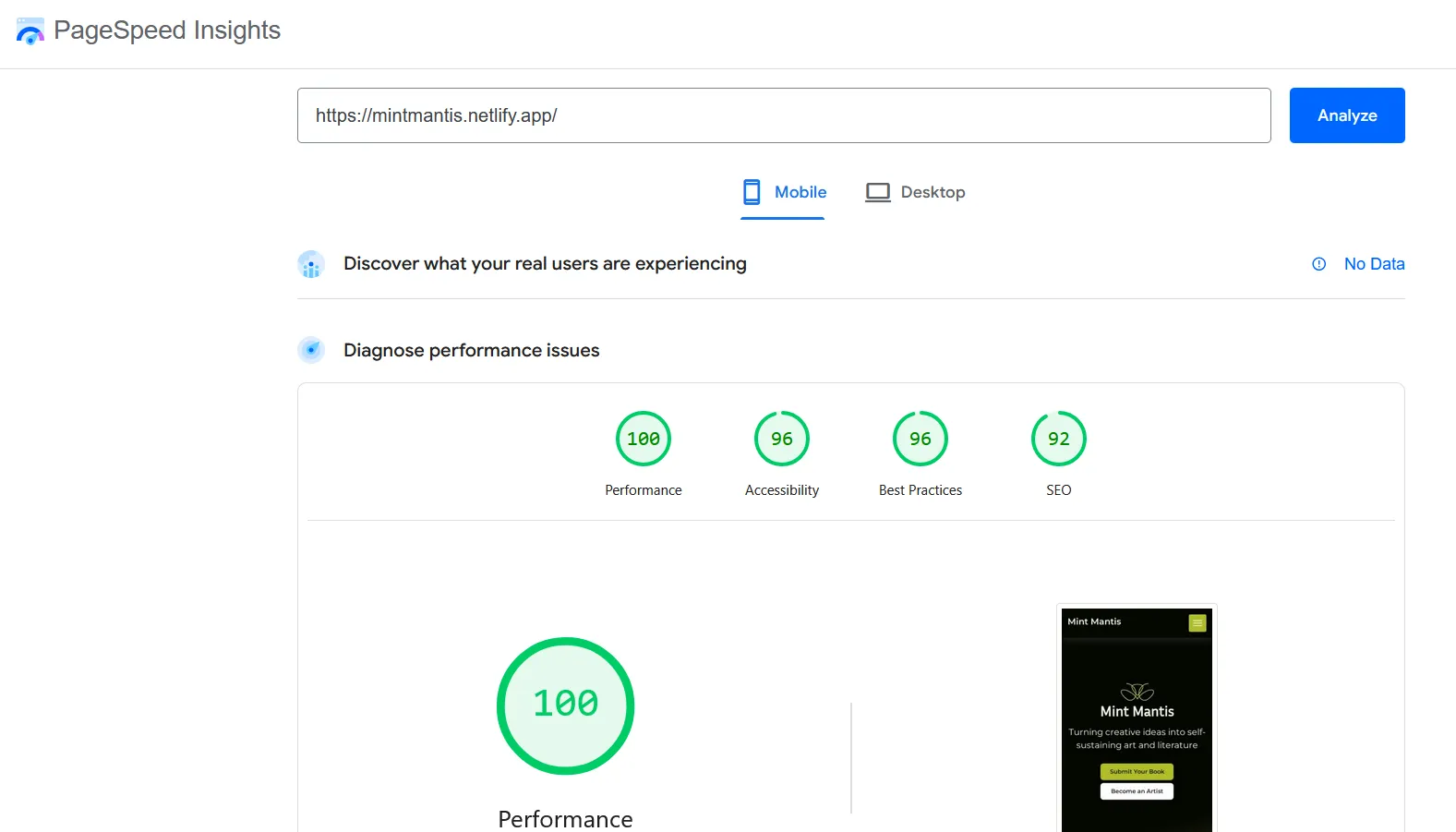
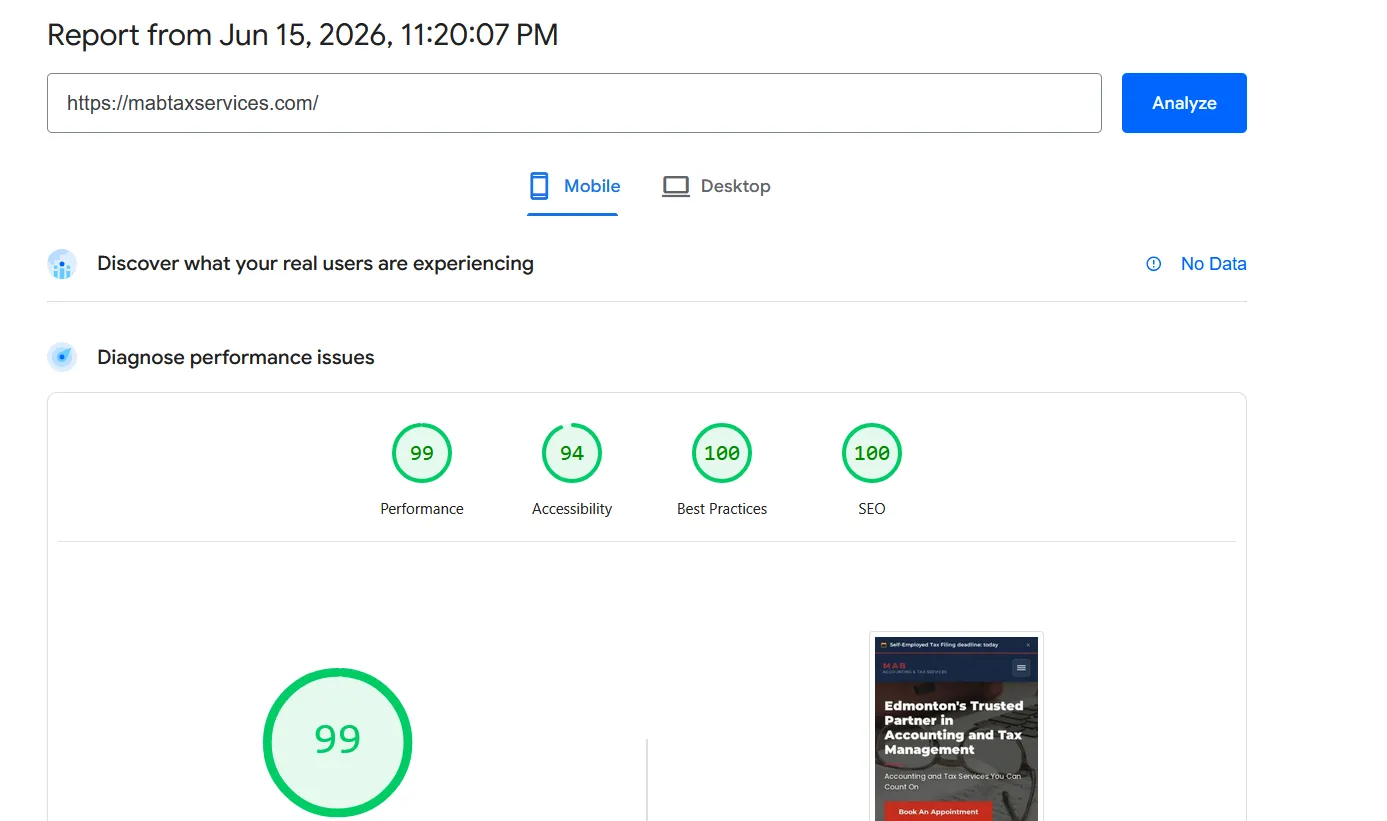
MAB Accounting & Tax Services. I first scoped this project as a WordPress build. After looking at what the client actually needed, it was clear WordPress was overkill. I built it with Astro and Sanity instead, and the site scored 99/100 for mobile Performance, 94 for Accessibility, 100 for Best Practices and 100 for SEO.
Scores like these don’t rank a site on their own, but a fast, clean site gives every other part of your SEO a better foundation. If you want to know what else goes into ranking, read my guide on how I get Edmonton business websites ranking on Google.
When WordPress Is Still the Right Choice
I still build WordPress sites. It’s the better choice in some situations:
- Large blogs with many editors. If you publish often and have several writers, editors and approval steps, WordPress has mature tools for that kind of workflow.
- Online stores that need WooCommerce. WooCommerce is a flexible way to sell online, especially if you need custom product options or want to keep your store and content in one place. It does need more maintenance and good hosting.
- Teams already invested in WordPress. If your staff already knows WordPress well, or your site depends on plugins and integrations that would be costly to rebuild, staying put can make sense. A well-maintained WordPress site on good managed hosting can serve a business well for years.
If that sounds like you, I offer WordPress development in Edmonton too.
A Middle Ground: Headless WordPress
There’s also an option in between. In a “headless” setup, WordPress is used only as the editor and content store. Astro builds the public website from that content as fast static pages. Your team keeps the WordPress dashboard they already know, and visitors get the speed and security of a static site. The public site no longer depends on WordPress themes or front-end plugins.
Headless isn’t free of trade-offs. You still have a WordPress install to host and update, and some plugins that change how the front end looks won’t work, because WordPress no longer builds the pages. For a team that’s attached to WordPress but wants a faster site, it can be a good compromise. For most small businesses starting fresh, I recommend Astro with a simpler CMS instead, because there’s less to maintain.
Which One Is Right for Your Business?
Here’s a quick way to decide:
- Choose Astro if you want a fast, secure site for a service business, restaurant, trade or professional practice, and you mainly update text, photos and the occasional blog post.
- Choose Astro if you’re tired of plugin updates, security warnings and a site that keeps getting slower.
- Choose WordPress if you run a large, busy blog with many contributors.
- Choose WordPress if you need WooCommerce or rely on specific plugins that would be expensive to replace.
- Choose WordPress if your team already knows it well and it’s working for you.
- Not sure? Ask me. I’ll look at your current site and tell you honestly which one fits.
If Astro sounds like the right fit, here’s more on my Astro development services in Edmonton. Every site I build includes on-page SEO, and if you want help climbing the rankings after launch, see my Edmonton SEO services.
Frequently Asked Questions
Can I edit an Astro site myself?
Yes. I pair Astro with a content management system (CMS), so you log in to a simple editor to change text, swap photos, add blog posts or update services. You never touch code. When you save, the site rebuilds and your changes go live.
Is Astro good for SEO?
Yes. Astro sends clean, pre-built HTML to the browser with little or no JavaScript, so pages load fast and Google can read them easily. Speed and clean code help, but they don't rank a site on their own. You still need good content, local SEO and links.
How much does it cost to move from WordPress?
A move from WordPress is priced like a new build. My custom websites start at $2,500 for a 5-page site with SEO setup, a CMS you can edit and 30 days of post-launch support. Larger sites and online stores cost more. I'll give you a firm quote after I review your current site.
Will I lose my Google rankings if I switch?
Not if the move is planned properly. I keep your existing URLs where possible and set up 301 redirects for any that change, carry over your page titles and descriptions, and submit the new sitemap to Google Search Console. A well-handled move often improves rankings because the new site is faster.